Tinypaste
Tiny public Markdown pastebin.
- Rendered Markdown, Mermaid as zoomable SVG, LaTeX math
- No account. No token.
- Works from any shell, script, or agent.
- Self-hosts free on Deno Deploy in under a minute.
- RaggioProietto palette: coral accents, hairline borders, Inter and JetBrains Mono, light and dark from your system setting
Most paste tools are cluttered editing environments that require an account or token and don’t render Markdown, Mermaid, and LaTeX all in one. This one is for quickly sharing: paste Markdown, get a short public URL, move on.
Example: https://tnypst.xyz/6XvGcED
API
POST Markdown. The default response is the short URL.
curl -X POST https://tnypst.xyz/api/pastes \
  -H "Content-Type: text/plain" \
  --data-binary '# hello'
curl -X POST https://tnypst.xyz/api/pastes \
  -H "Content-Type: application/json" \
  -H "Accept: application/json" \
  -d '{"markdown":"# hello\n\n- one\n- two"}'
curl -X POST https://tnypst.xyz/api/pastes \
  -H "Content-Type: text/markdown" \
  --data-binary @README.md
Self-host
You can deploy it on Deno quickly:
- Fork this repo and push it to GitHub.
- Open https://console.deno.com.
- Create an app from the GitHub repo.
- Use this build config: no preset, dynamic runtime, entrypoint
main.js, empty install and build command. - Provision a Deno KV database.
- Assign that KV database to the app.
Raycast
Easy to integrate with existing tools. Here’s the script to use it with Raycast.
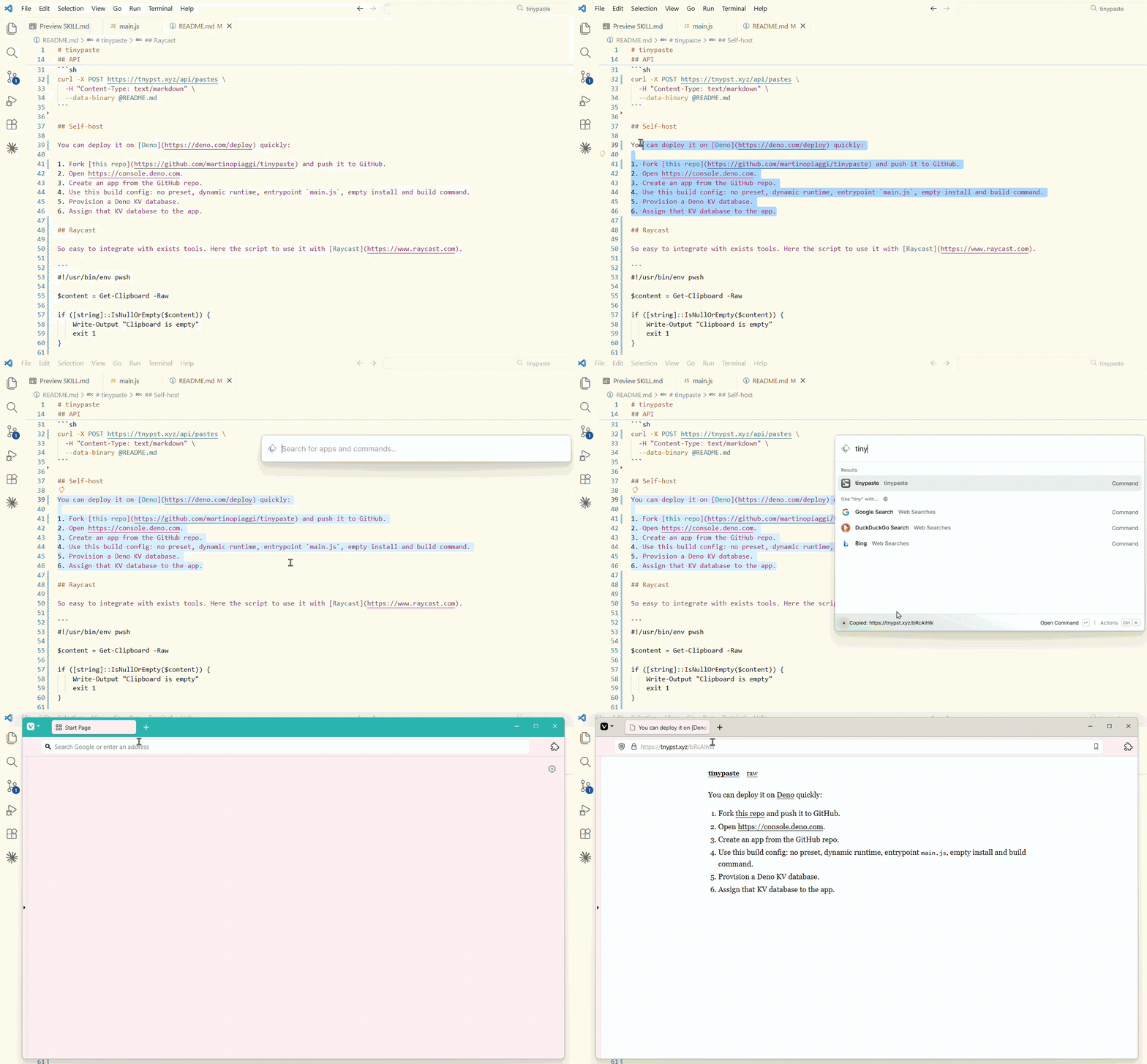
#!/usr/bin/env pwsh

$content = Get-Clipboard -Raw

if ([string]::IsNullOrEmpty($content)) {
    Write-Output "Clipboard is empty"
    exit 1
}

try {
    $url = Invoke-RestMethod -Uri "https://tnypst.xyz/api/pastes" `
        -Method Post `
        -ContentType "text/plain" `
        -Body $content
} catch {
    Write-Output "Failed: $_"
    exit 1
}

Set-Clipboard -Value $url
Write-Output "Copied: $url"
Legal
The instance at https://tnypst.xyz is live and free. Do not paste secrets, private data, illegal material, or content you do not have the right to publish. Pastes are public.